
The Arena
Member Dashboard
You already know speaking works.Now build the engine.
One offer you can say out loud. One talk that ends in enrollment. A calendar of stages you created instead of waited for. Wherever you are in your term, everything you need is on this page.
Join a live call · all times Pacific
Your first five moves
You don't get a login and a good luck. Work these five in order, today if you can. Momentum is the whole point, and it's easiest to build on the day you decide.
0 of 5 done. Tap Mark done as you finish each one. When all five are checked, this box tucks itself away.
Done all five? Open the Tracker tab, grab your Progress Tracker and tick off anything you have already finished. It shows your next lesson.
Everything In One Place
Quick links
Every tile below opens the real thing. Bookmark this page and you never have to hunt for a link again.
Live calls: which room is which
Each call has its own link. Pick the call on today's schedule. All times are Pacific, and off weeks are marked on the Call Calendar.
Tools and community
What You Build
Seven modules. One client acquisition engine.
The portal runs in order, Module 0 to Module 6. Each module only works because the one before it is finished. Tick off every lesson in your Progress Tracker as you go.
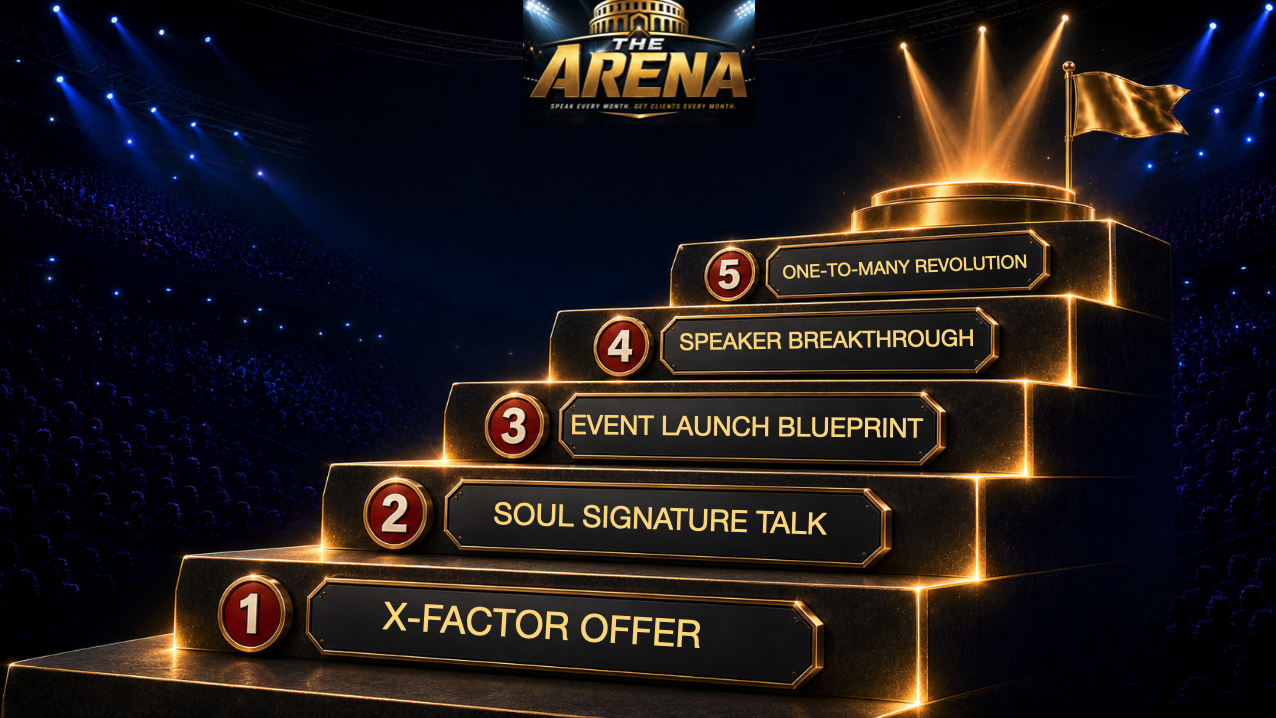
Orientation
Orientation parts 1 and 2, your Core Practices (Morning Alignment, the Success Ritual, the 5 Step Manifestation Process and the Future Self Operating System), and Prep Your Tech: Slack, Google Docs, bookmarks, this dashboard and Tech Lab, and the GHL Quick Start.

X-Factor Offer
An offer with demand built into it. Core promise, ideal buyer, architecture, pricing, your unique mechanism, and the one next step you invite people into from stage.

Soul Signature Talk
Talk title built on the symptom, not the method. Origin story cut to three minutes. The Teaching Point System. Slides built off teaching points. A close written as spoken words. Live reps in front of a real room.
Enrollment Nirvana
The 20K Sales System. The script overview and cheat sheet, the full 20K Sales Script, Objection Alchemy, and how to re-enroll clients who back out.

Event Launch Blueprint
The 8 week live cohort. Lock the date, build second. Registration page, email sequence, reminders. Fill the Room strategies and the Fill the Room Matrix. JV asks. Run of show. The debrief. The relaunch calendar.

Speaker Breakthrough
Summits, podcasts, live stages and paid stages. The good stage and bad stage filter. The 5 and 5 outreach rhythm. Advocate message and host pitch. One sheet, topic list, bio. All of it tracked in your SpeakerPort pipeline.

The One to Many Revolution
One to many delivery and one to many sales. The positioning statement and the 6 beat 60 second frame. The integrity test. The transition from teaching to inviting, scripted word for word. The booking flow that catches a raised hand in the moment.
Work the system in order
Orientation, Offer, Talk, Enrollment, Event, Stages, then One to Many. Work them in sequence and speaking stops being a thing you do and starts being the strategy the business runs on.
Enter the PortalLive Calls
Where the work gets done together
Three calls, three different rooms. All times are Pacific. Every date and off week lives on the Call Calendar.
Arena Group Call
Hot seats and mastermind, every week you're in the program. Submit your check-in first. That's how you get on the list.
Join the Arena ZoomBooking Blitz with Miro
Outreach gets done together, live, until gigs are on the board. Bring your list. This call runs on Miro's Zoom.
Join Miro's ZoomTech Lab
Funnels, CRM, automations and anything that's stuck. Coach hotline access in between.
Join Tech LabThe Room Around You
You are not doing this alone
The reason people stop at seventy percent is that nothing external notices. In The Arena, three things notice. All three live in Slack.

Accountability Pods
A small implementation group of experts building the same engine. Your pod becomes your referral network and the reason you keep moving between calls.
Open #arena-accountability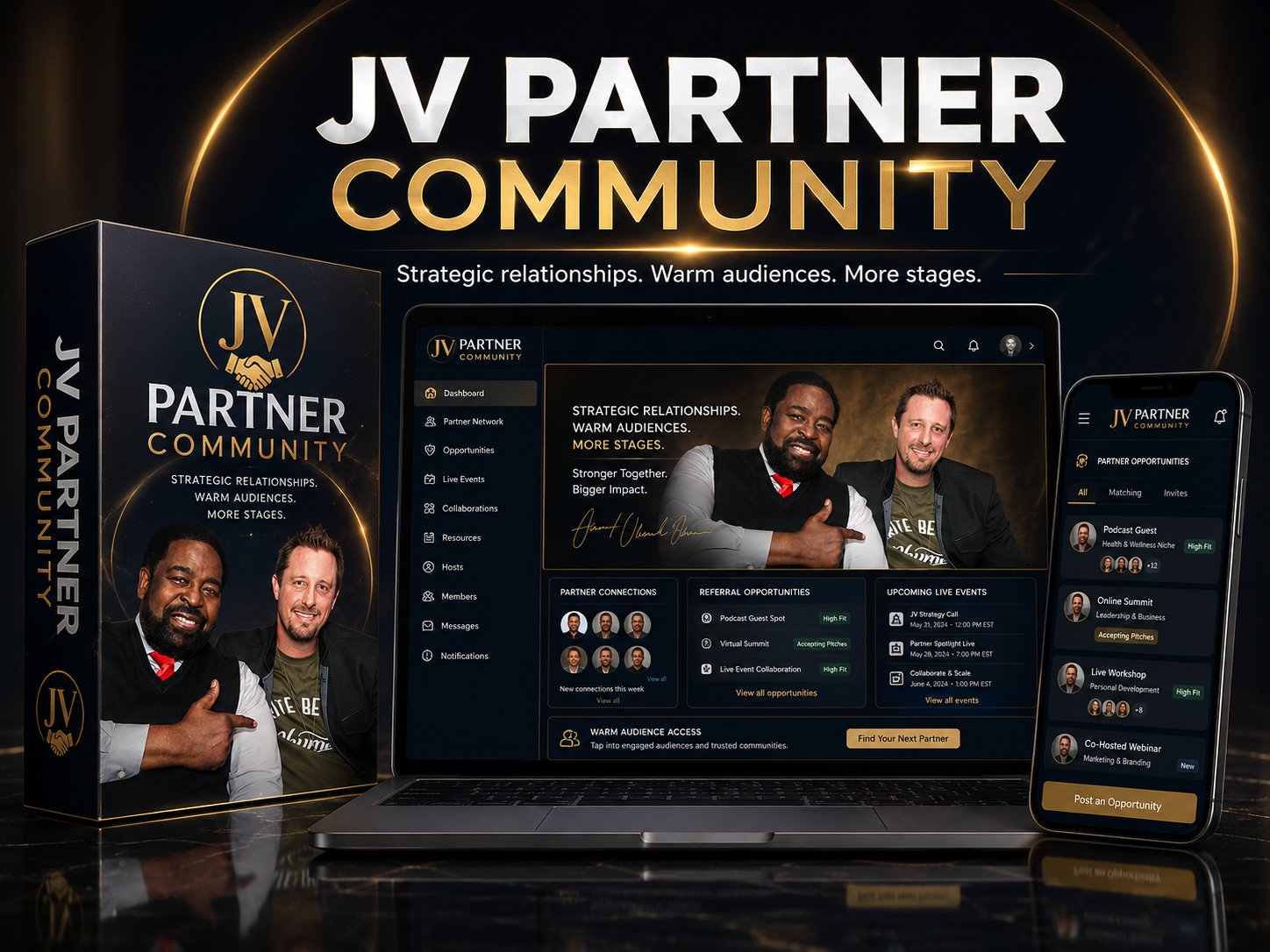
JV Partner Community
The fastest path to a full room is not cold outreach, it's partnership. Get the directory, the asks, the reciprocity terms and the pipeline automation.
Open the JV Channel
Contests & Leaderboard
Real prizes for booking gigs, launching your workshop and enrolling from stage. Execution becomes visible, which is exactly why it happens.
See the LeaderboardSwitched On For You
Claim these now
These are live from the day you enrolled. If any of them isn't switched on yet, say so in Slack.
3 Share Funnels + CRM Trial
Lead magnet appointment funnel, free workshop funnel and paid workshop funnel, imported straight into your account, plus a trial of the CRM that runs them.
Claim Your TrialSpeakerPort Leads + Pipeline
Curated speaking opportunities, a pipeline that tracks every one from applied to accepted, and outreach tracking that keeps your monthly activity visible.
Open SpeakerPortAsync Coaching With Sean
Direct access between calls, right in Slack. Send the talk, the offer, the pitch, the sticking point, and he answers. If this was part of your enrollment, message him there.
Message Sean on SlackThe Path
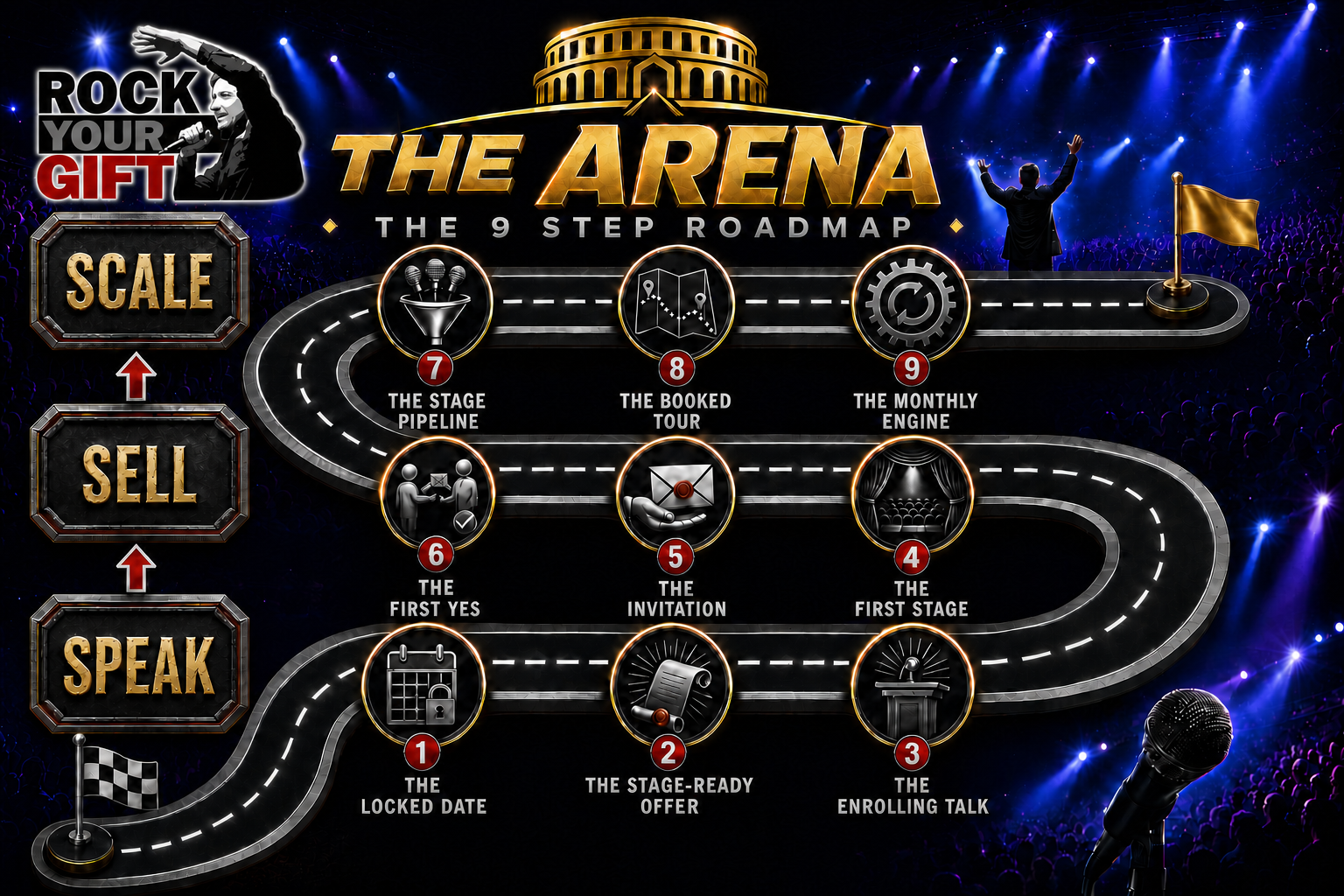
The 9 Step Roadmap
Speak. Sell. Scale. Nine milestones in order. Each one is only reachable because the one before it is done. Find where you are, then work the next step. The roadmap is where you are going. The seven portal modules are how you get there, and your Progress Tracker shows which lesson is next.
Your First Months
How your term is shaped
Everyone starts on a different date, and terms run different lengths. These phases are counted from your week one. The early weeks are structured, because that's where the pattern gets set.
Launch Your First Event
Refine the offer. Create the talk. Lock the date immediately. Build the workshop assets. Start promotion. Go live.
Build Momentum
Launch again. Open JV outreach. Sharpen delivery. Lift attendance. Start consistent speaking outreach. Refine how you enrol.
Become A Consistent Speaker
Land gigs. Speak consistently. Build recurring visibility. Create predictable client generation from stages.
Not sure which step you're on?
Bring it to a hot seat. Submit your weekly check-in first so we can see where you actually are.
Submit Your Check-InYour Progress
Your tracker
We are not a cohort, so you move at your own pace. Two tools keep you honest. Your Progress Tracker shows where you are in the program. Your weekly check-in tells us, before every call.
My Progress Tracker
Every lesson in the portal as a checkbox, one tab per module. It shows your end date, how much time you have left, whether you are on pace, and your next lesson. Your dates come from your agreement, so all you do is tick the Done boxes and add notes.
The Client Care Team shares your personal tracker with you. Can't find yours? Make a copy of the master below, then email [email protected] so we can add your dates.
Get a Copy of the TrackerThis week's check-in
Submit before your live call. Include your Hot Seat question if you want time on the mic. You get a copy of your answers by email every time, so your past check-ins are always in your inbox.
Open the Check-In FormWhat the check-in asks
Have these ready before you open it and it takes three minutes instead of fifteen.
- 1Which module did you work on this week?Module 0 Orientation through Module 6 One to Many. Check your Progress Tracker if you're not sure. If the honest answer is none, say none. That's useful data too.
- 2How do you feel about your business, 1 to 10?And why you gave yourself that number, what's working and what needs improvement.
- 3What are you most proud of this week?Wins get read out. Post them in Slack too.
- 4Your top 3 inspired actions for this weekThree. Not ten. Your pod will ask you about them.
- 5Accountability partner statusDo you have one, and have you met this week? Yes or no. No partner yet? Find one in #arena-accountability.
- 6Your Hot Seat questionOne specific question. Specific questions get specific answers.
Support
Get unstuck fast
Don't sit on a question for a week. Pick the fastest door below.
[email protected] 🎤Bring It To A Hot SeatSubmit your check-in first, then show up Wednesday at 11am Pacific with the question. 📅Onboarding CallNew here? A 10 minute onboarding call with the Client Care Team.
Your team
Who to reach for what. The Slack links open a direct message if you have Slack installed.